Endpoint & SSL monitoring
TokenTimer can monitor HTTPS endpoints for SSL certificate expiration and endpoint health. When you add an endpoint, TokenTimer automatically fetches the SSL certificate, creates a token to track its expiration, and optionally performs periodic health checks.
Open Endpoint & SSL monitor on the dashboard to add endpoints, or use the Domain Checker to discover and bulk-import certificates for a whole root domain.
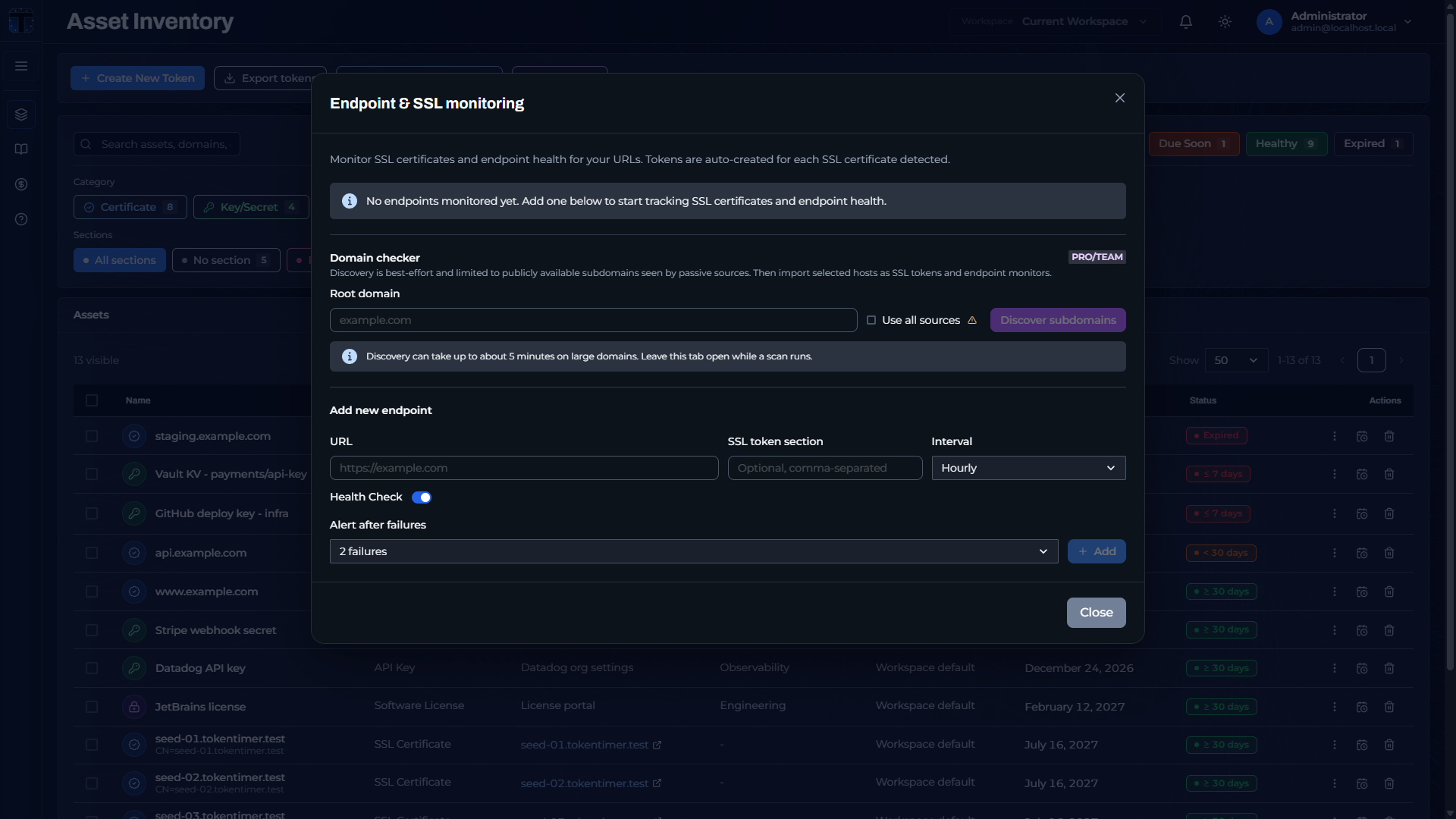 The Endpoint & SSL monitoring modal: Domain Checker, endpoint URL, health check, and alert-after-failures settings.
How SSL tokens are created
- When you add a URL (for example
https://example.com), TokenTimer connects via TLS to read the SSL certificate. - A token is automatically created with the hostname as its name (for example "example.com"), the certificate expiration date, issuer, serial number, and subject.
- The token's
domainsfield is populated with the hostname and thelocationfield stores the full URL. - The token type is
ssl_certwith categorycert. - On subsequent SSL checks, TokenTimer refreshes the linked token's certificate metadata (expiration date, issuer, subject, serial number) when the certificate changes or is renewed.
Health checking
- Enable/disable: health checking is off by default and can be toggled per endpoint.
- Check intervals: every 1 min, 5 min, 30 min, hourly, or daily.
- What is checked: an HTTP GET request is made to the URL. A 2xx or 3xx response is "healthy"; 4xx/5xx or timeouts are "unhealthy".
- Dashboard indicator: a health status icon appears next to the token's expiry pill (green = healthy, orange = unhealthy, red = error, gray = pending).
- Alerts: when the status transitions from healthy to unhealthy, an alert is triggered. See Endpoint health alerts for the alerting strategy, including the "alert after failures" setting.
Managing endpoints
- The Endpoint & SSL monitoring modal shows all monitored endpoints with their SSL status, health status, response time, and check interval.
- Use the refresh button to trigger a manual health check.
- Deleting an endpoint monitor does not delete the associated SSL token.
Network access and firewall requirements
TokenTimer Cloud sends health checks from its own infrastructure. If your endpoint is behind a firewall, WAF, or IP allowlist, allow TokenTimer Cloud's egress IP on port 443 so checks can reach your servers. See Egress IP allowlisting.
Endpoints on private networks or with internal DNS names that do not resolve publicly are not reachable from TokenTimer Cloud. To monitor private or internal endpoints, run self-hosted TokenTimer on your own network.
CertOps bridge
When CertOps is enabled, endpoint SSL monitoring also feeds the managed certificate inventory: each observation of the served certificate is recorded against a managed certificate row. See Endpoint monitor bridge.