Import tokens from a file
Bulk import tokens from CSV, XLSX, JSON, or YAML files. This is the fastest way to migrate from spreadsheets or to load an export from another system.
Open Import tokens from the dashboard and pick the file card, or use the REST API.
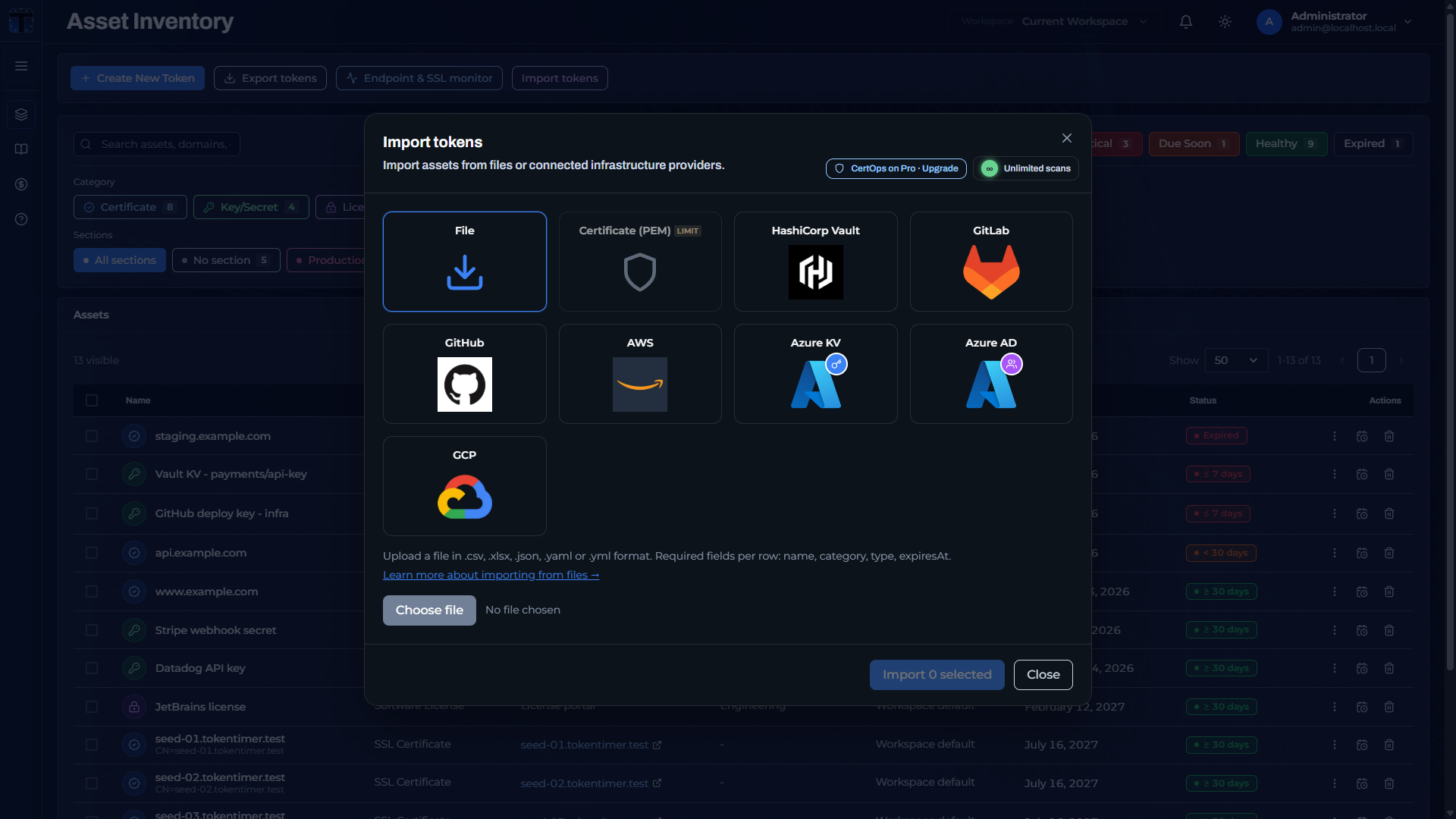 The Import tokens modal: file upload plus integration providers.
Formats and fields
Required fields:
name(1-255 characters),category,type, andexpiresAtfor the dashboard file uploader.expiresAtusesYYYY-MM-DD. To import a Never expires record through the dashboard, use the sentinel date2099-12-31. Rows with an empty or missing date are excluded from the upload preview. The REST API can default an omitted ornullexpiry to Never expires; the dashboard uploader has stricter requirements.
Optional fields:
section,domains,location,used_by,contacts,description,notes,contact_group_id,contact_group_idscontact_group_ids: one or more workspace contact group IDs (JSON/YAML array, or in CSV/XLSX a;or,separated list). When present, it wins overcontact_group_id.contact_group_id: legacy singular ID; still accepted whencontact_group_idsis omitted. On API reads,contact_group_idis the lexicographically smallest assigned group, ornullwhen the asset uses the workspace default. Omit both to leave membership unset (workspace default at alert time).
- Certificates:
issuer,serial_number,subject - Keys:
key_size(positive integer),algorithm - Licenses:
license_type,vendor,cost,renewal_url,renewal_date
The workspace is taken from your current selection, so the file does not include a workspace_id.
Include a location column for reliable deduplication: re-importing a row with the same name + location updates the existing token instead of creating a duplicate.
Before uploading, select the destination workspace. After parsing, compare the preview row count with your file, select the intended rows, then import. Confirm the resulting assets and dates in Asset Inventory. Missing required fields can exclude rows before they reach the API.
The dates below are illustrative. For an alert-delivery check, choose a future expiry that reaches one of your configured thresholds; already-passed thresholds are suppressed on import.
CSV / XLSX example
name,category,type,expiresAt,section,domain,privileges,last_used
Example TLS Cert,cert,ssl_cert,2030-01-31,"prod, public",example.com,,
API Gateway Key,key_secret,api_key,2030-12-15,"prod, api",api.example.com,"read, write",2025-06-10
JSON example
[
  {
    "name": "Example API Key",
    "category": "key_secret",
    "type": "api_key",
    "expiresAt": "2030-05-15",
    "section": "backend, internal",
    "domain": "service.example.com",
    "privileges": "read:all, write:logs",
    "last_used": "2025-11-20"
  }
]
YAML example
tokens:
  - name: Example TLS Cert
    category: cert
    type: ssl_cert
    expiresAt: 2030-01-31
    section: prod, external
    privileges: 'read, sign'
    last_used: 2025-10-15
    domains:
      - example.com
      - www.example.com
    issuer: "Let's Encrypt"
    location: /etc/ssl/certs
    used_by: edge-proxy
Behavior on import
- Deduplication: rows matching an existing token on
name+locationupdate that token. See Automatic deduplication. - Alert catch-up: alerts for thresholds that have already passed are suppressed to prevent notification storms; alerting resumes at the next future threshold.
- Plan limits: imports that would exceed your plan's token cap are blocked. See Plan limits.